Guide 3 of 10
Apps and privacy grades
How Demarc grades each app, how to read an app’s detail page, and the controls that act on a single app.
The Apps list
The same traffic as Watch, sorted by who is responsible.
Grades and reasons
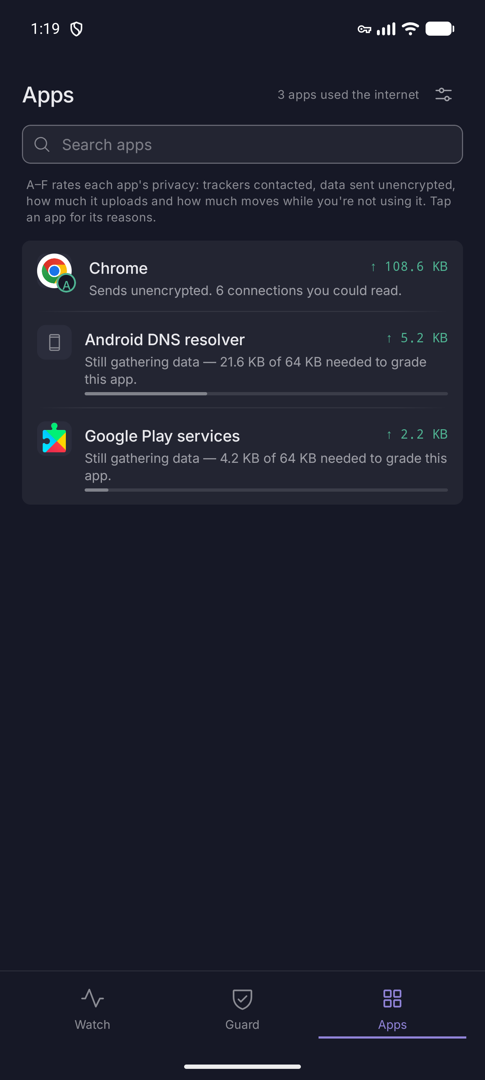
Every app that used the internet, sorted by what it sends out, with a letter grade on its icon and a one-line reason. The header counts them: “3 apps used the internet”.
An app gets no letter until about 64 KB of its traffic has been seen. Until then a thin bar reads “Still gathering data — 21.6 KB of 64 KB needed to grade this app.” Search by name with Search apps.
How the grade works
The grade is a summary of what an app actually did on the network: trackers contacted, data sent unencrypted, how much it uploads, and how much it moves while you are not using it. Bands: A is 90 and up, B 80, C 65, D 50, and F below that. It is a heuristic, not an audit, and it judges online behaviour only.
Reasons you may see
- Sends unencrypted. It sent data you could read, usually with a count of the connections.
- Reached a known-bad address.
- Called N trackers.
- Uploads more than it downloads. More than 1 MB out and over twice what came in.
- Kept talking while the phone was idle. A large share of its data moved despite Doze.
- Busy in the background. At least half of its data moved while the app was closed.
- No trackers. Everything encrypted. The good one.
One app, in full
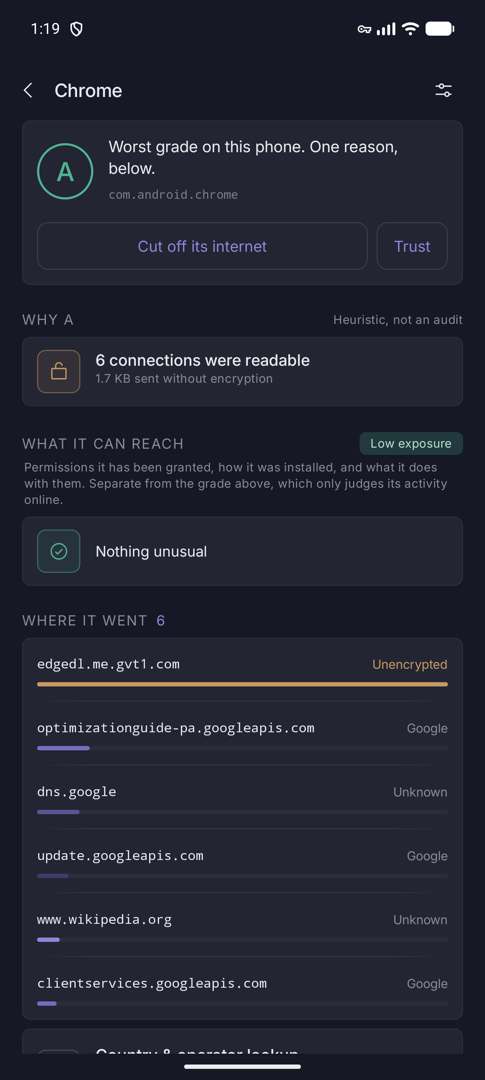
Tap an app for its verdict, its reasons, where its data goes, and the controls that act on it.
Verdict and reasons
The top card shows the grade ring and a verdict line. Cut off its internet blocks the app completely; it turns into Restore its internet. If the app has open findings, Trust dismisses them.
Why lists the reasons behind the grade. What it can reach is separate: it rates the exposure from the permissions the app holds and how it was installed, as High, Some or Low.
Destinations and controls
The destination bars show where the app’s data went, with the readable ones flagged Unencrypted. Turn on the country and operator lookup to group them by country.
This app holds the controls: Block internet (the same switch as the per-app firewall), Send through the VPN (subscription), Record this app’s traffic (a .pcap) and the Sensitive permissions it holds.
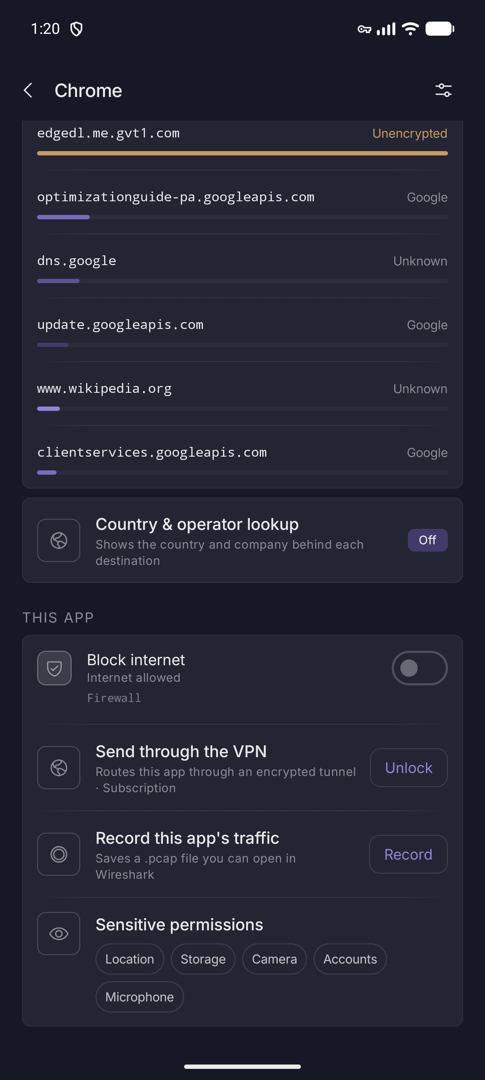
Below that, Android’s own counters show 30 days of Wi-Fi and mobile data for the app, and how much of it Demarc saw. The rest moved while monitoring was off or went around Demarc. The app’s Connections and Website lookups follow.